

By treating the backlog as a queue of small, well-described jobs. AI agents can take tickets from a Jira backlog one by one, build each change on its own branch and open a pull request, while people keep the decisions that matter. The work is less about the agent and more about how ready your tickets are.
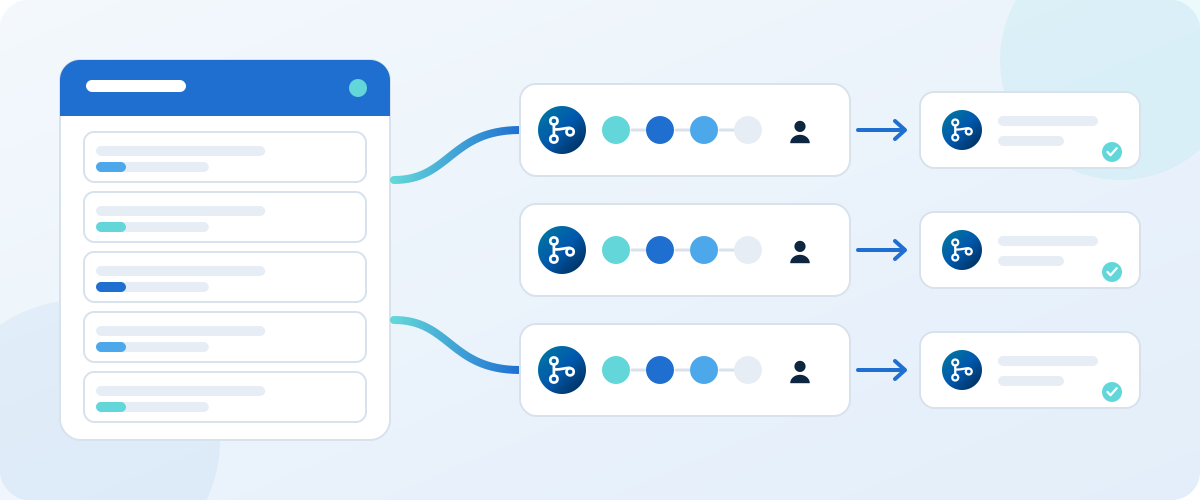
Start by sorting the backlog
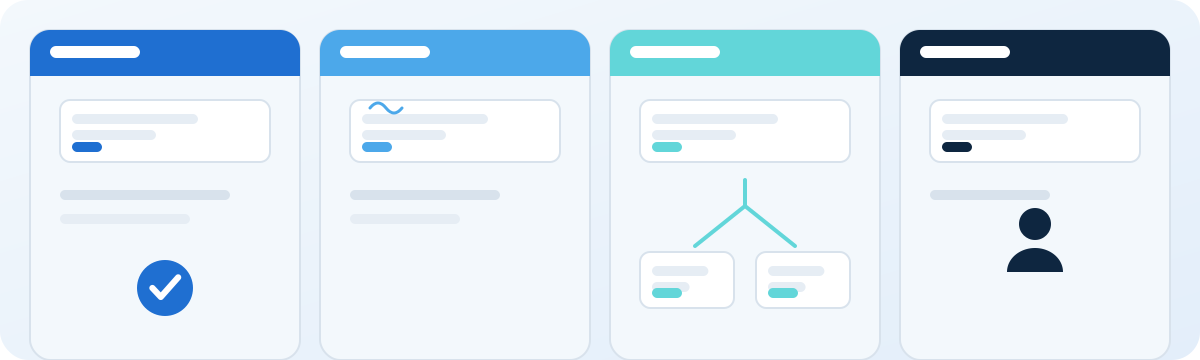
Agents do not need a perfect backlog, but they do need tickets they can finish. Sorting the backlog into four groups before you start saves most of the wasted runs.
| Kind of ticket | Hand it to an agent? | What to do first |
|---|---|---|
| Clear outcome, small scope, a way to check it | Yes | Hand it over as it is. |
| Good idea, vague description | Not yet | Add what done looks like and name the area of the code. |
| Two jobs in one ticket | No | Split it into two tickets. |
| Needs a design or product decision | No | Have a person decide first, then write the decision on the ticket. |
Jira can help you find the first candidates. Its query language, JQL, lets you save a filter that lists tickets by status, label or age, as described in Atlassian's JQL guide. Start with a filter for small tickets that already have a clear description.
What a ticket an agent can finish looks like
Here is an example, written the way a product owner would write it in Jira. It is small, it says what done means and it names where the work lives.
PAY-214: Add CSV export to the invoices page
Outcome: a finance user can download the filtered invoice list as a CSV file.
Done when: the file has the same columns as the table, respects the filter on screen, and a test covers an empty list.
Area: the invoices page and its API. Out of scope: PDF export.
That takes about a minute to write. Without the last three lines it is the kind of ticket an agent has to guess at, and guesses are where rework comes from.
One ticket, step by step
Here is PAY-214 going through the nine stages of the Dutopilot pipeline: architect, planner, implementer, gate, three reviewers, autofixer and QA. Before the first stage, people set the human gates once per project and the ticket is picked up. After the last, a person releases to production.
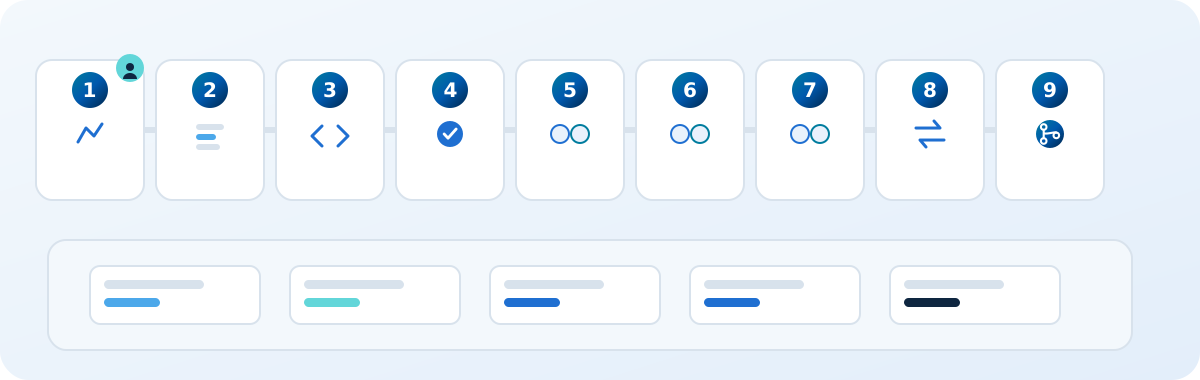
| Step | What the agent does | What you see |
|---|---|---|
| Before the stages: pick up | Reads PAY-214 and the design page it links to, and confirms the ticket is ready. | A comment saying the ticket was picked up and is ready. |
| 1. Architect | Proposes which files change (the invoices page and the export endpoint), how the data flows and which tests to add. | The plan as a comment. A named person approves it before any code is written. |
| 2. Planner | Turns the approved plan into an ordered list of tasks for the implementer. | The task list on the ticket. |
| 3. Implementer | Writes the change on its own branch inside a sealed sandbox and opens a pull request. | A branch named for the ticket and a pull request linked back to PAY-214. |
| 4. Gate | Runs lint, build and tests and returns one combined verdict. | One check result on the pull request instead of a scatter of signals. |
| 5 to 7. Three reviewers | Three separate Dutopilot virtual team members read the change on their own. One notices that the export ignores the filter on screen. | Review comments on the pull request, written like a person on your team would. |
| 8. Autofixer | A fixer agent gets the comment or the failing log, repairs the code, and the gate runs again. | A new commit and a fresh check result. |
| 9. QA | With every check green, the pull request merges under your branch protection and reaches your test environment, where QA tests the result. | The ticket moves to your test status. |
| After the stages: release | Waits for a person, then deploys through the same pipeline. | A request for the release approval. |
Two points wait for a person by default: the plan and the production release. Everything between them runs without anyone watching, and every stage writes to the ticket, so you read the story afterwards instead of attending it.
Keep many tickets moving without collisions
The hard part of a large backlog is not one ticket, it is many at the same time. Give every ticket its own branch, let tickets that depend on each other wait for the one they need, and limit how many run at once to what your team can review. If two tickets touch the same files, run them one after the other.
Say PAY-215 is an export button on the dashboard that needs the endpoint from PAY-214. Mark it as blocked by PAY-214 in Jira and it waits, then starts from code that already contains the endpoint. Two unrelated tickets, such as a copy change and a new report, run side by side without noticing each other. Before it starts, each ticket brings in the latest code from your main branch by itself, so no ticket waits for someone to refresh a branch by hand.
What you set up
- Connect your Jira project and your code host (GitHub, GitLab, Bitbucket or Azure DevOps).
- Choose the slice of the backlog to start with, for example one label or one saved filter.
- Name who approves the plan and the production release, and any parts of the code that need a named reviewer.
- Connect your own Claude Code, Codex, OpenCode or Oh My Pi subscription.
Most teams run their first ticket within a week.
What your Forward Deployed Engineer does
Every Dutopilot customer gets a Forward Deployed Engineer: an engineer from Dutopilot who works with your team, not a support queue. They do not write your product code. They make the pipeline fit the way you already work.
- Onboarding: they connect your tools with you and choose the first slice of the backlog.
- Ticket readiness: they go through the first tickets with your product owner and agree a short template like the one above.
- Approvals and gates: they set which plans and which parts of the code need a person, and which do not, based on how your team really reviews.
- First runs: they watch the first tickets with you and fix whatever stalls a run.
- Ongoing: they look at stalled tickets and review findings with you, and loosen or tighten the gates as the record shows.
How Dutopilot does it
Dutopilot connects to your Jira backlog and works through it with its nine-stage pipeline: it plans the change, builds it in a sealed sandbox, has it reviewed by three separate reviewers, runs the tests and quality checks, fixes what fails and merges when the approvals you chose are in. Every stage is written back to the ticket, so the backlog always shows where each ticket stands.
Your branch protection and required reviews keep applying, and we never keep a copy of your repository. Besides Jira, Dutopilot works with Linear, Notion, GitHub Issues and Azure DevOps for the backlog, and with Slack. The guide on going from a Jira ticket to a merged pull request shows one ticket from start to finish.
Common reasons a run stalls
- The description has no acceptance criteria, so the agent has to guess what done means.
- The ticket mixes two jobs, so the pull request grows too large to review.
- The tests are slow or flaky, so nobody can tell whether the change works.
- No approver is named, so a finished pull request waits.
Fix these in the backlog and the success rate goes up without any change to the agent.
Where people stay in charge
- Before code is written: a person decides the architecture of anything new or risky.
- At merge: a named person approves changes in the areas that matter most.
- At release: the production release follows your own process.
Add approvals anywhere else you want one, and remove them as trust grows. The guide on choosing which steps need approval explains how to decide.
Frequently asked questions
Do AI agents need a clean backlog?
No, but each ticket an agent picks up needs a clear outcome, a small scope and a way to check it. Leave the messy tickets in the backlog and sort them first.
What happens when an agent gets stuck?
A good setup makes the agent say so on the ticket and stop, instead of guessing. In Dutopilot the ticket shows what is blocking it and what a person can do, and a reply from a person lets the work continue.
Can we use our own AI subscription?
Yes. Dutopilot runs on your own Claude Code, Codex, OpenCode or Oh My Pi account, so Dutopilot virtual team members work under the terms and limits you already have.
How long until the first ticket runs?
Most teams run their first ticket within a week: connect the backlog and the project, point Dutopilot at one slice of the backlog, then widen from there.